Free SEO checker
Reads your live website and Google Business Profile and gives you the list of what is holding you back, in plain words.
Check my siteFREE TOOLS · NO SIGNUP WALL
Tools I built for Bay Area owners, plus the best free SEO tools from Google, Bing, Ahrefs and Semrush, each with one plain line on how to use it. Free, and made to save you time this week.
Made by Beto, Betograpy · Walnut Creek, California
Built for owners who want answers, not reports. No signup wall.
Reads your live website and Google Business Profile and gives you the list of what is holding you back, in plain words.
Check my siteTurn your review link into a QR code, a printable "Review us on Google" card and ready-to-send text and email messages.
Make my QR codeA free morning brief: world news, markets, tech, research and Bay Area business, from trusted sources.
Get it free10 free steps in order, with real tests of a real site: page basics, Search Console, Analytics, Google profile, Bing (for Copilot and ChatGPT search), Apple Maps, speed, schema and keywords.
Read the guide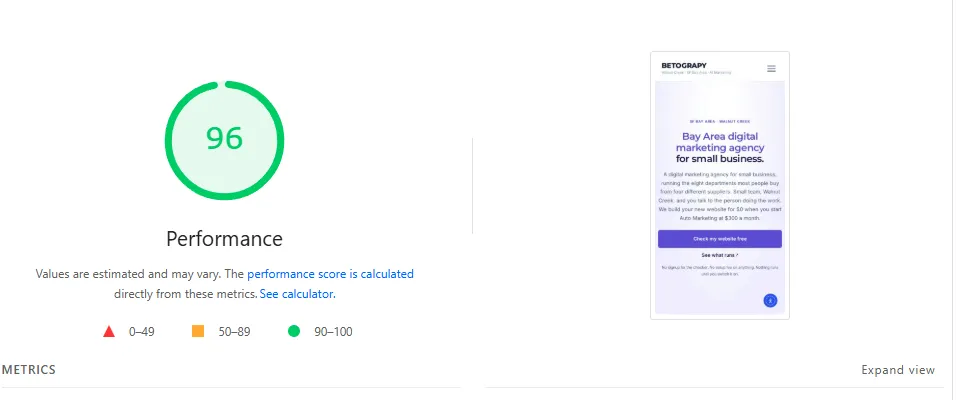
These are the free tools I use for clients every week. Start with the first four; they come straight from Google and Bing.
Google's own report on how people find your website: searches, clicks, average position and pages with errors.
How to use it: add your website, then open Performance and sort by Impressions. The searches with many impressions but few clicks are your next page titles to fix.
Your listing on Google Maps and Search, the first thing local customers see.
How to use it: fill every field, add real photos, post weekly, and reply to every review. Then make your review QR code with the free tool above.
Shows how fast your page loads on a phone and what slows it down.
How to use it: paste your home page, check the Mobile tab, and fix the top items in "Opportunities" first (usually big images).
Bing's version of Search Console. Bing also feeds some AI assistants, so it is worth five minutes.
How to use it: sign in, import your site from Google Search Console in one click, and submit your sitemap.
A free site audit and a list of websites that link to you, for sites you own.
How to use it: verify your site (it can connect through Search Console), run the Site Audit, and fix the errors marked as important.
Keyword ideas and a look at what competitors rank for. The free account has daily limits.
How to use it: type your service + your city (for example "plumber walnut creek") in Keyword Magic Tool and note the questions people ask. Each good question can become a page or a post.
Checks the hidden labels (schema) that help Google show your business details, reviews and FAQs.
How to use it: paste a page address. Green means Google can read it; fix anything in red.
Shows when people in your area search for what you sell, and which words they use.
How to use it: compare two ways of saying your service (for example "daycare" vs "preschool") with the region set to your state, and use the bigger one in your page titles.
Start with Google Search Console, Google Business Profile, PageSpeed Insights and Bing Webmaster Tools. Add Ahrefs Webmaster Tools for a free audit and backlinks, and the free SEO checker for a quick list of fixes.
Not to start. The free tools from Google and Bing show your real searches, clicks and errors. Paid tools mainly add competitor research and bigger keyword lists.
Yes. Betograpy's Auto Marketing runs your Google profile posts, blog and SEO every week, and you see the real numbers in your dashboard. See Auto Marketing or text Beto.
Morning and evening editions
A free, short email for Bay Area small business owners: the business news that matters, and what to do about it.
Check your inbox for the welcome email.